
Install games over the cable
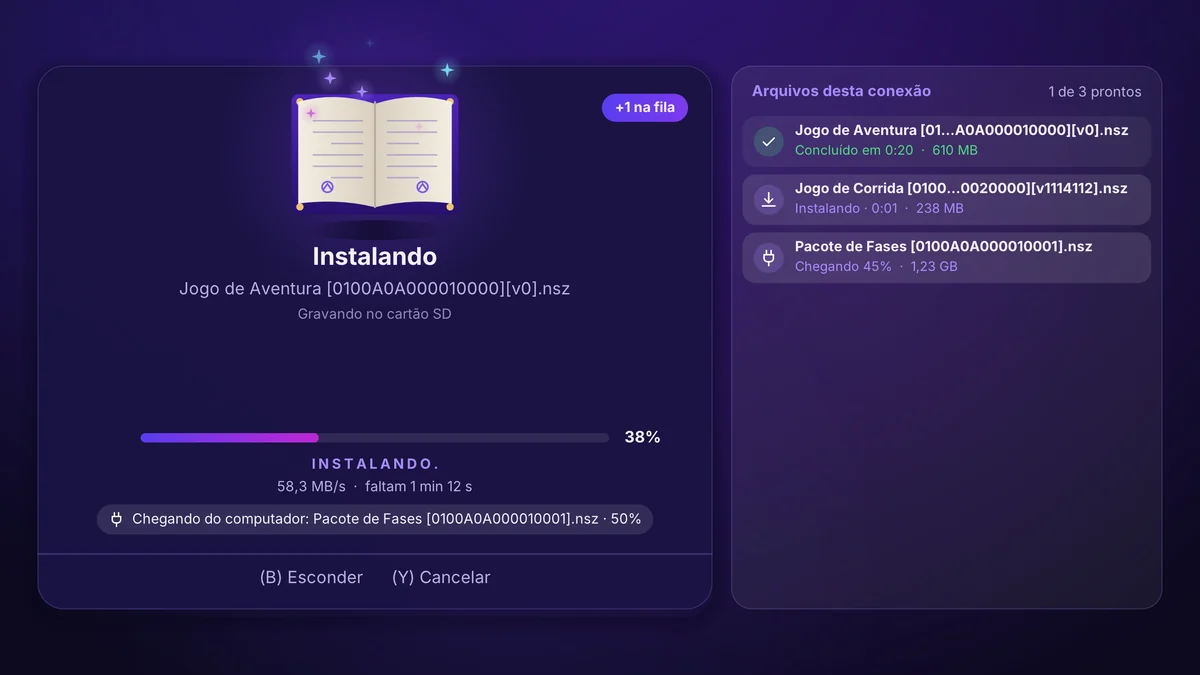
Drop NSP, NSZ, XCI, XCZ or MSP files into a single folder on the computer. The Switch installs them one by one, showing the progress.
MeoWGuard does, on a simple screen in Portuguese, what used to take several programs: installing games over the cable, copying your cartridge, keeping your saves and screenshots. Made by Tech MeoW.
Already bought it? Open my access and download · Transferring games? Open the transfer in Chrome
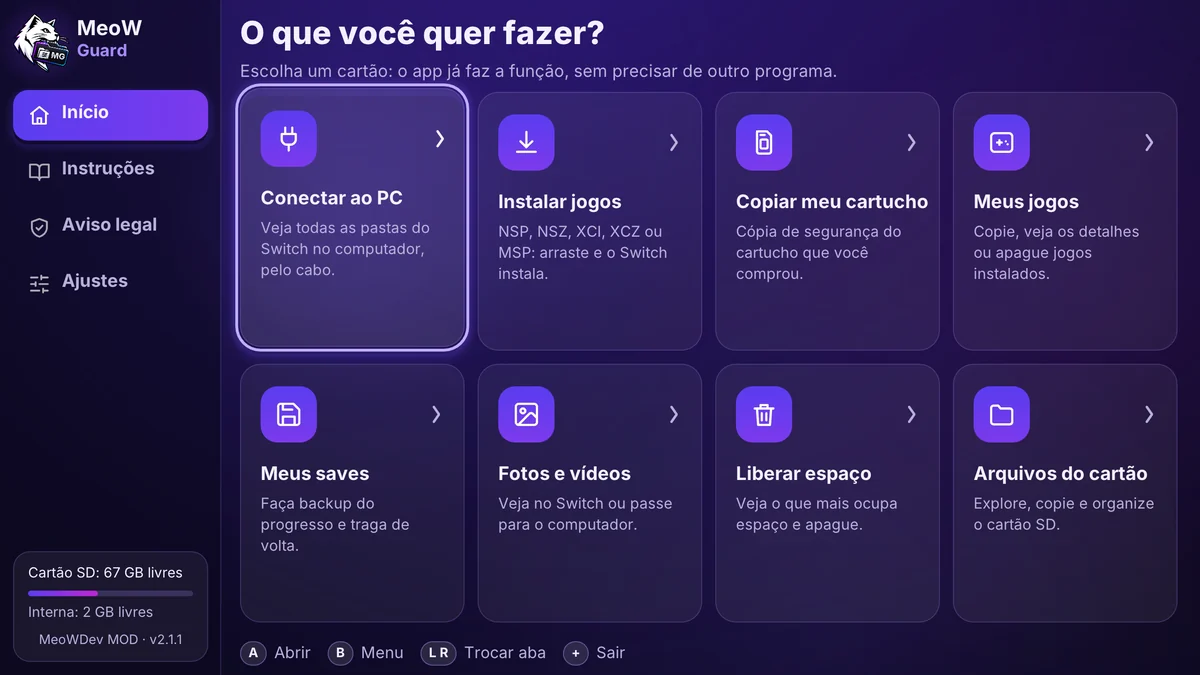
Installing over the cable, the app's 8 cards and the backups, with the real screens.
Everything inside the app, with no need to open another program on the Switch.
Drop NSP, NSZ, XCI, XCZ or MSP files into a single folder on the computer. The Switch installs them one by one, showing the progress.
The app asks which computer you use and shows the right steps. On a Mac, it also works through the Chrome browser.
The app explains each step in Portuguese and tells you what to do if something goes wrong.
Copy the game from the cartridge you bought to the computer, so you have a backup.
Back up your game progress and move your screenshots and recordings to the computer.
See what takes up the most space on the card and in internal memory, and organize files without leaving the app.
Pix or card, through InfinitePay. As soon as the payment is approved, access opens.
The access page has the MeoWGuard package and the video that shows everything in practice.
Put the folder inside the switch folder on the card, open it from the homebrew menu and you're done.
Tech MeoW unlocks any Switch 1 model in Rio de Janeiro, Brazil.
See the unlocking serviceLoading the price…
No monthly fee. Access opens as soon as the payment is approved.
Secure payment through InfinitePay: we never see your card details. You have 7 days to change your mind and get your money back (Brazilian Consumer Protection Code, art. 49), and access is closed when the refund is made.
Already bought it? Open my access
Yes. MeoWGuard is a homebrew app and only opens on an unlocked Switch, with Atmosphère. Tech MeoW does the unlocking in Engenho da Rainha, Rio de Janeiro.
No. The app is for backing up and reinstalling the games you bought, and we do not sell or provide games. Making a backup copy of software you bought is allowed (Brazilian Law 9.609/1998, art. 6, I). Selling or passing on copies is a crime, and each person is responsible for how they use their own device.
Yes. Over the cable, with the free OpenMTP app, or through the Chrome browser on one of our pages. The app shows which address to open.
NSZ is a compressed game. To decompress it, the app needs a lot of memory. That is why it shows you how to create a shortcut on the Switch home screen, which opens with all the memory available.
You have 7 days from the purchase. Message us on WhatsApp with your access code. Once the refund is made, access to the download is closed.
Open the access page and type your access code, which appears on screen right after the payment (write it down or take a screenshot). A new link is created right away.
Message us on WhatsApp. Tech MeoW replies Monday to Friday, 10 am to 6 pm (Brazil time).