 BancadaSync
From check-in to
delivered repair.
Service orders, customers, finances and warranty in one place. The system runs on your computer: no monthly fee and no internet needed to work.
Windows 10 or 11 · installs without an administrator password · takes a few minutes
The end of the notebook, the spreadsheet and “where is that device?”
Every pain at the counter has an answer inside the system.
Check-in without forgetting anything
Customer, device, serial number, accessories and reported fault are recorded in the service order, right at the counter.
Status of every service order
Quote, approved, received, under analysis, waiting for parts, ready and delivered: all visible in the list and on the dashboard.
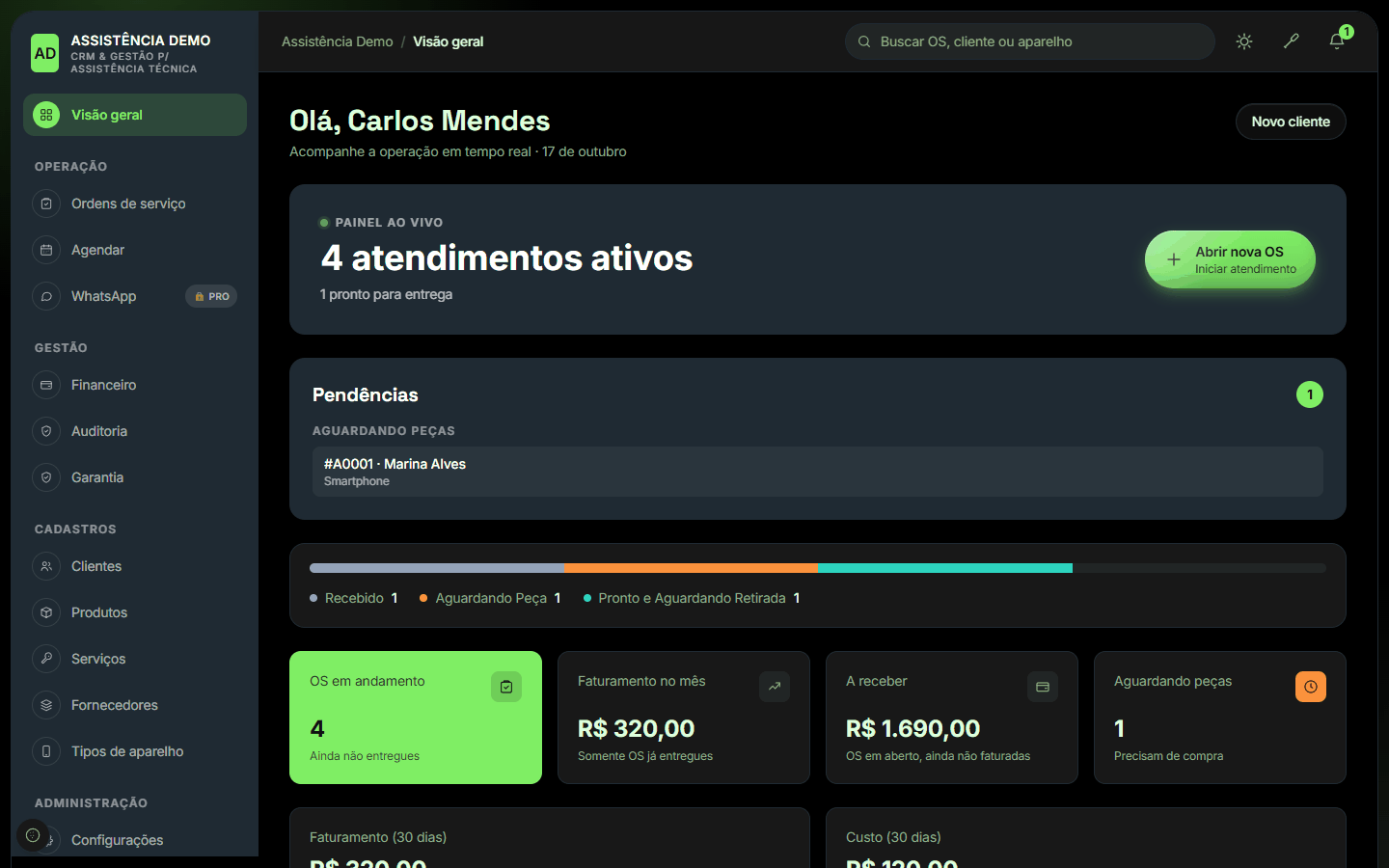
Live dashboard and pending items
See the active jobs, what is waiting for parts and what is ready for pickup.
Professional printed service order
Service note with the shop's details, items, total, deadlines, warranty and a signature field for the customer.
Warranty in writing
Warranty terms per type of service, printed together with the service order.
Real finances
A delivered order becomes income by itself. Expenses, fixed costs, monthly balance and PDF export.
Commission per technician
Calculated on the delivered repairs, with no mental math at the end of the month.
Team under control
Permissions per role (owner, administrator, clerk, technician, pickup) and an audit log of what was done.
Data on your computer
Your data stays with you, in a local database. Work as usual, with no monthly fee.
See what it looks like day to day
Click any image to enlarge. The screenshots use fictional data. The program's interface is in Portuguese.
Start for free. Grow when you need to.
The free version already covers the basics of a repair shop. Pro unlocks integrations and access from anywhere.
| Feature | Free | Pro |
|---|---|---|
| Service orders, printing and warranty | ✓ | ✓ |
| Customers, devices, products, services and suppliers | ✓ | ✓ |
| Finances and commissions | ✓ | ✓ |
| Audit log and permissions per role | ✓ | ✓ |
| Users | up to 3 | unlimited |
| Tracking link for the customer | 🔒 | ✓ |
| Built-in WhatsApp and message templates | 🔒 | ✓ |
| API / N8N integration | 🔒 | ✓ |
| Access on desktop, tablet and phone | 🔒 | ✓ |
| Follow from afar, in real time, when the shop is billing | 🔒 | ✓ |
Ready to use in a few minutes
Download the installer
Click “Download for free” and save BancadaSync-Setup.exe.
Install
Double-click it and follow the wizard. If Windows warns you, click More info and then Run anyway. No administrator password needed.
Create your shop
Open BancadaSync. On the first screen, enter the shop's details and create your user and password. Done.
Frequently asked questions
Why does Windows show a warning when installing?
The installer does not have a paid digital signature yet (the “verified publisher” certificate), so SmartScreen shows “unknown publisher”. The file is the same one published here; check its integrity with the hash below.
Where is my data kept?
On your computer, in %APPDATA%\CRM Assistencia. When uninstalling, the program asks whether you want to delete the data; the default is to keep it.
Do I need internet?
For day-to-day work, no. Only for features that depend on it, such as WhatsApp in the Pro version.
What if the computer shuts down?
When it turns back on, open the BancadaSync shortcut: your data and logins come back as they were.
How do I update to a new version?
Run the new installer over it. It closes the system, replaces the files and keeps your data.
How do I check that the file is the original? (SHA-256 of version 1.0.0)
1d10463c9d5ac24ce16623b04e5573c4cbf718de99053cb7d86f108681689fa7
In PowerShell: Get-FileHash .\BancadaSync-Setup.exe -Algorithm SHA256
Questions, suggestions or want Pro?
Developed by Jefferson Honorio (MeoWDev MOD).