Tests the whole device
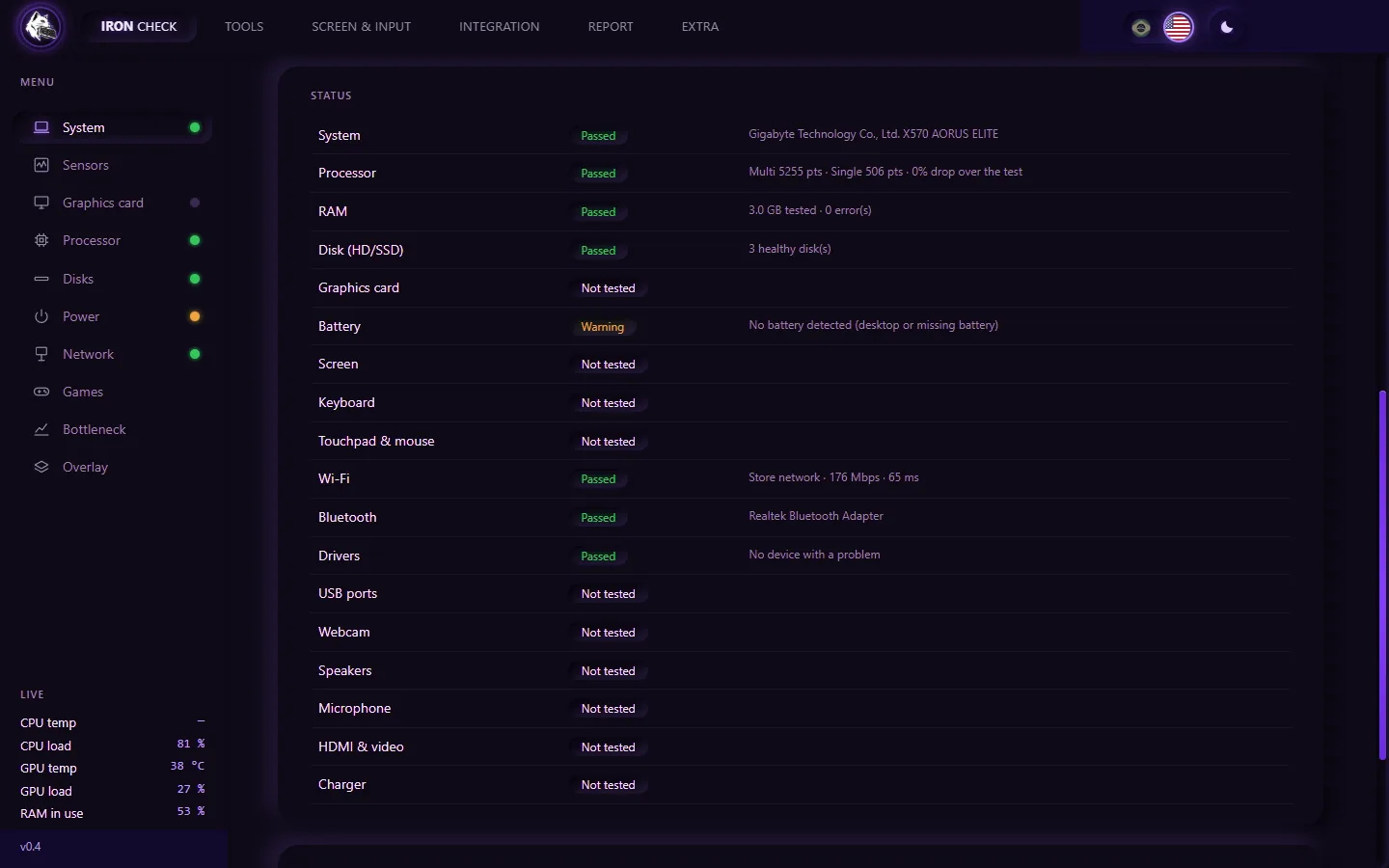
System, battery, disk, memory, CPU, Wi-Fi and Bluetooth in sequence, each with its own verdict.
Iron Check tests the whole computer, installs the missing driver (the network card driver works even with no internet) and issues a PDF report with your customer's service order. In English and Portuguese, one click apart, in a program that runs from a USB stick.
Windows 10 or 11 (64-bit) · runs from a USB stick, no install · a trial key unlocks the full program for a few days
Click the menu on the screen: it is the real program menu, over photos of the real screens. The flags switch the language and, in Benchmark, each test shows its animation.
Iron Check fills the screen with color, one at a time. Stains, light bleed and dark pixels show up right away, before the device goes back to the customer.
Sample panel, made on this page. Move the mouse (or your finger) to light the pixels and find the one that stays dark. On black, the fault is the pixel that never turns off.
One program on a USB drive, from intake to hand-over.
System, battery, disk, memory, CPU, Wi-Fi and Bluetooth in sequence, each with its own verdict.
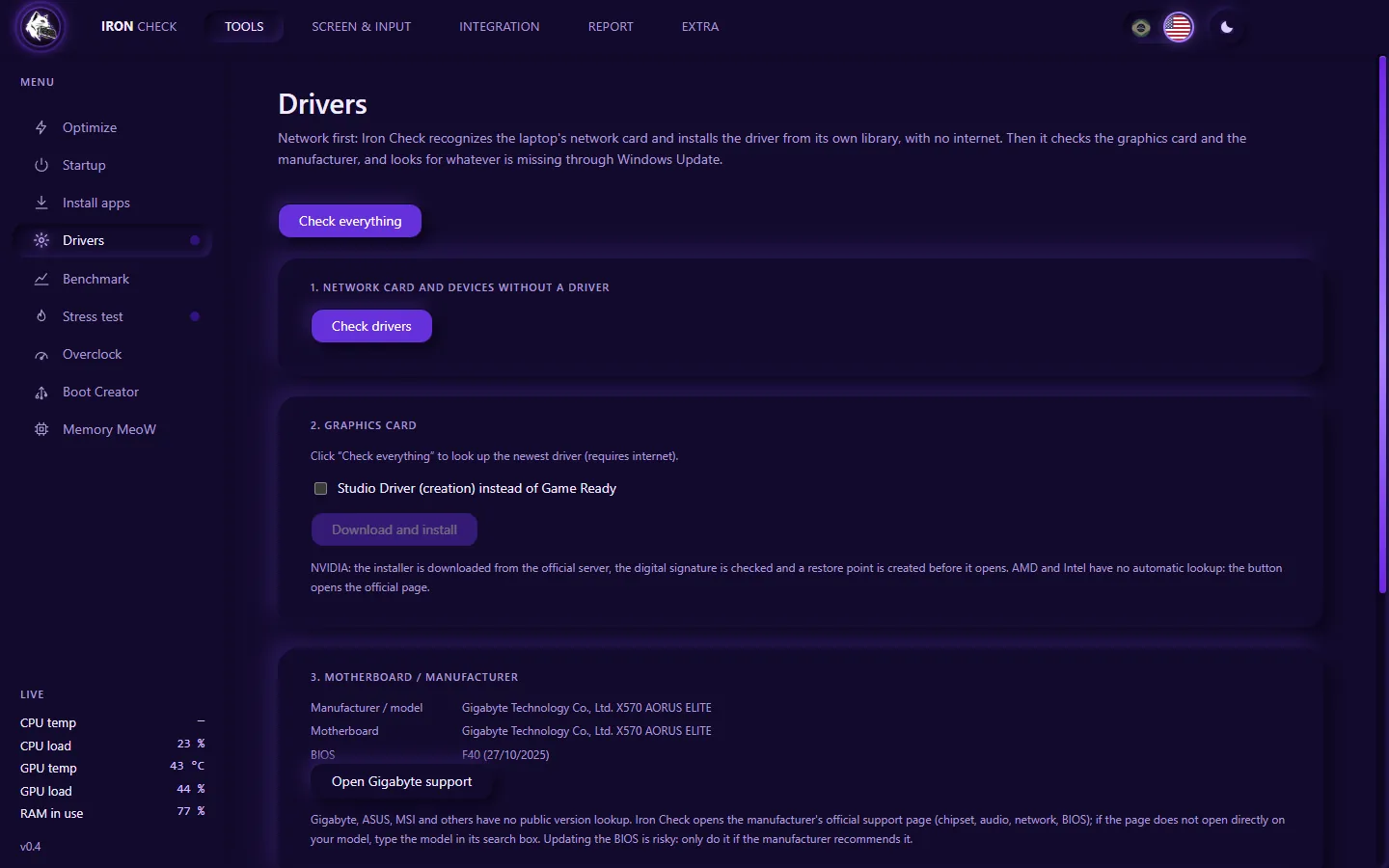
Formatted and lost the network? The driver for 400+ cards rides along on the USB drive.
Stress test and 7 scored benchmarks, to compare before and after the repair.
SMART, read-only surface scan and performance, on HDD, SATA SSD and NVMe.
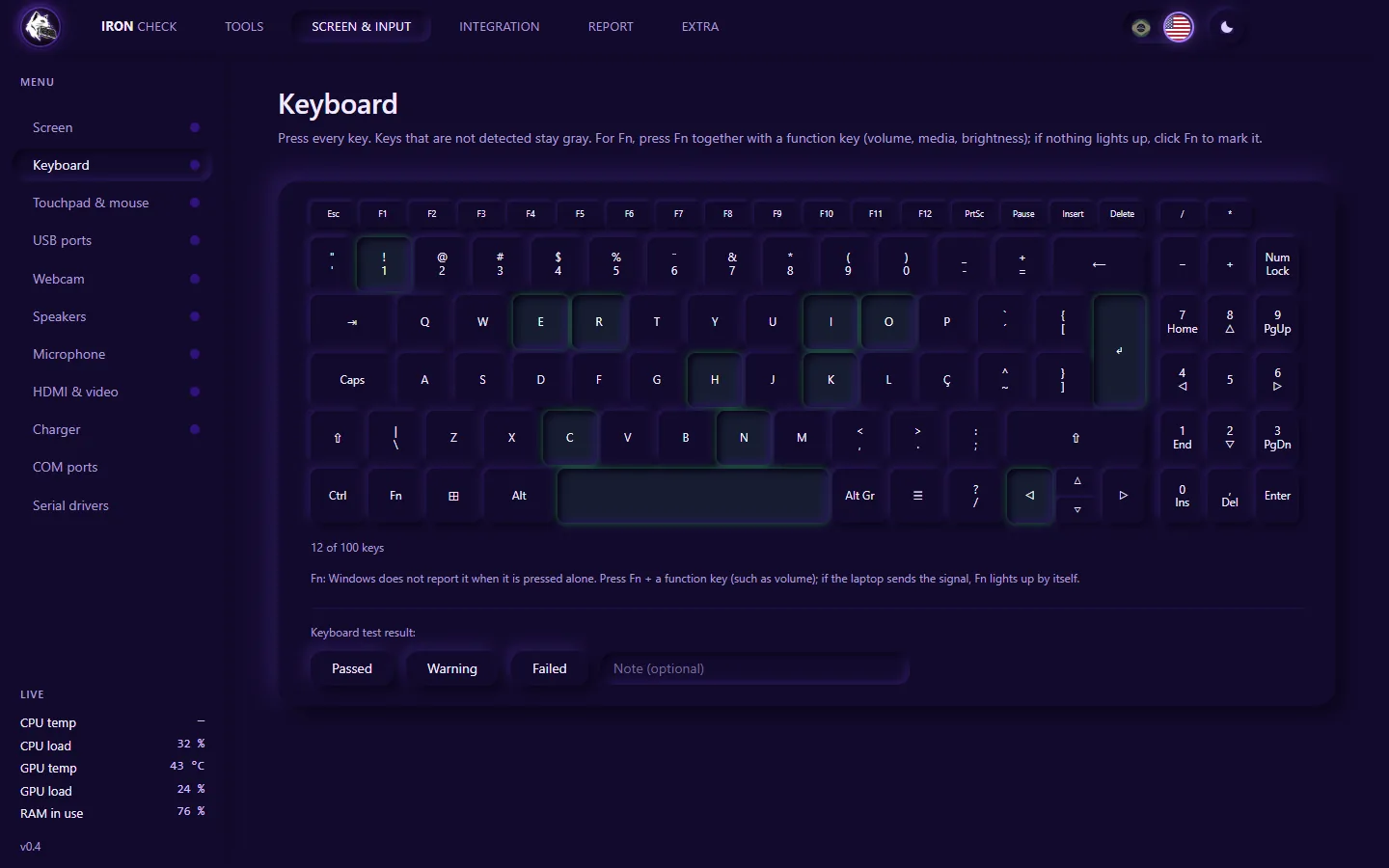
Screen, keyboard, touchpad, USB ports, webcam, speakers and microphone.
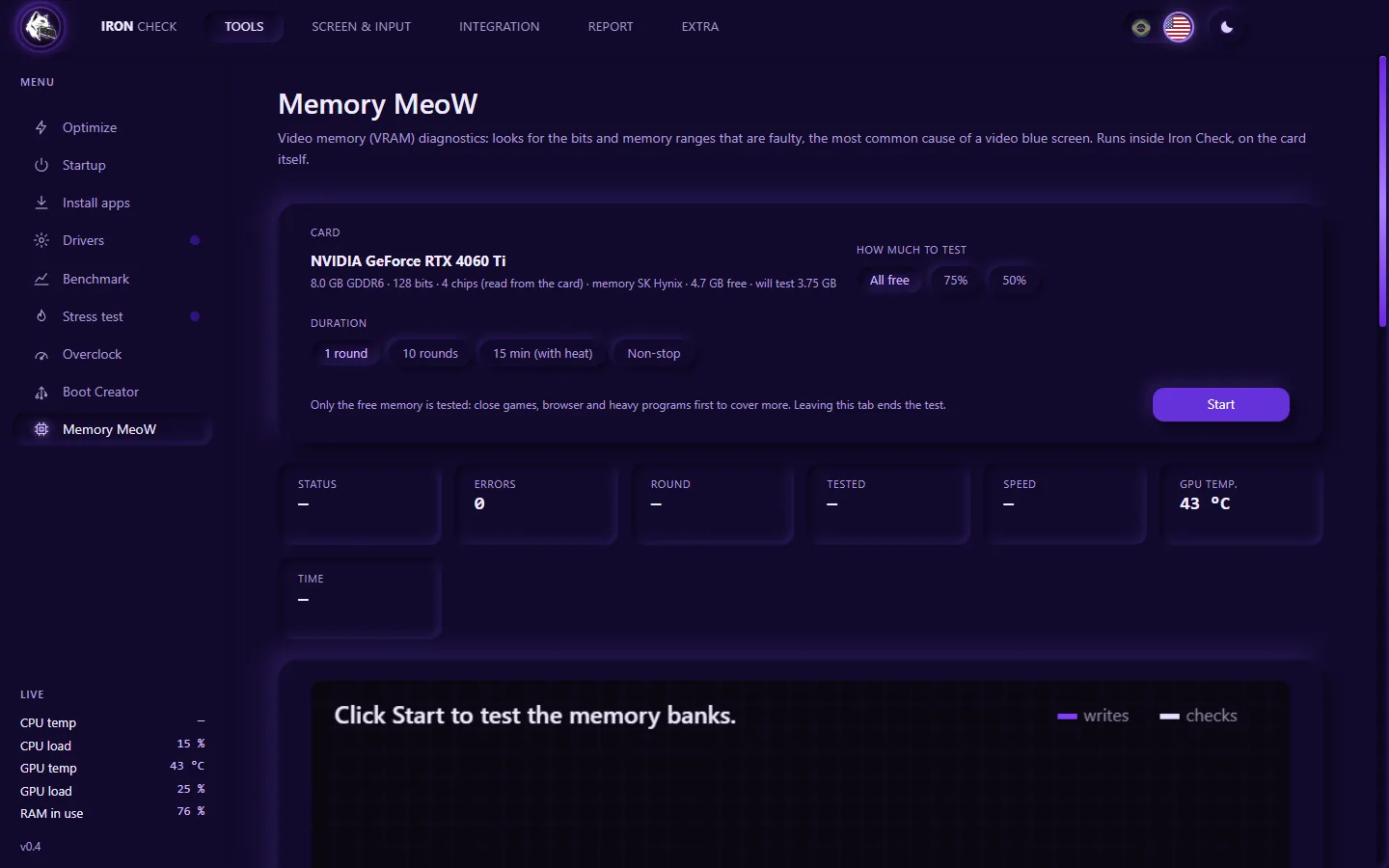
Memory MeoW writes and checks the graphics card memory in 12 patterns and points to the likely cause.
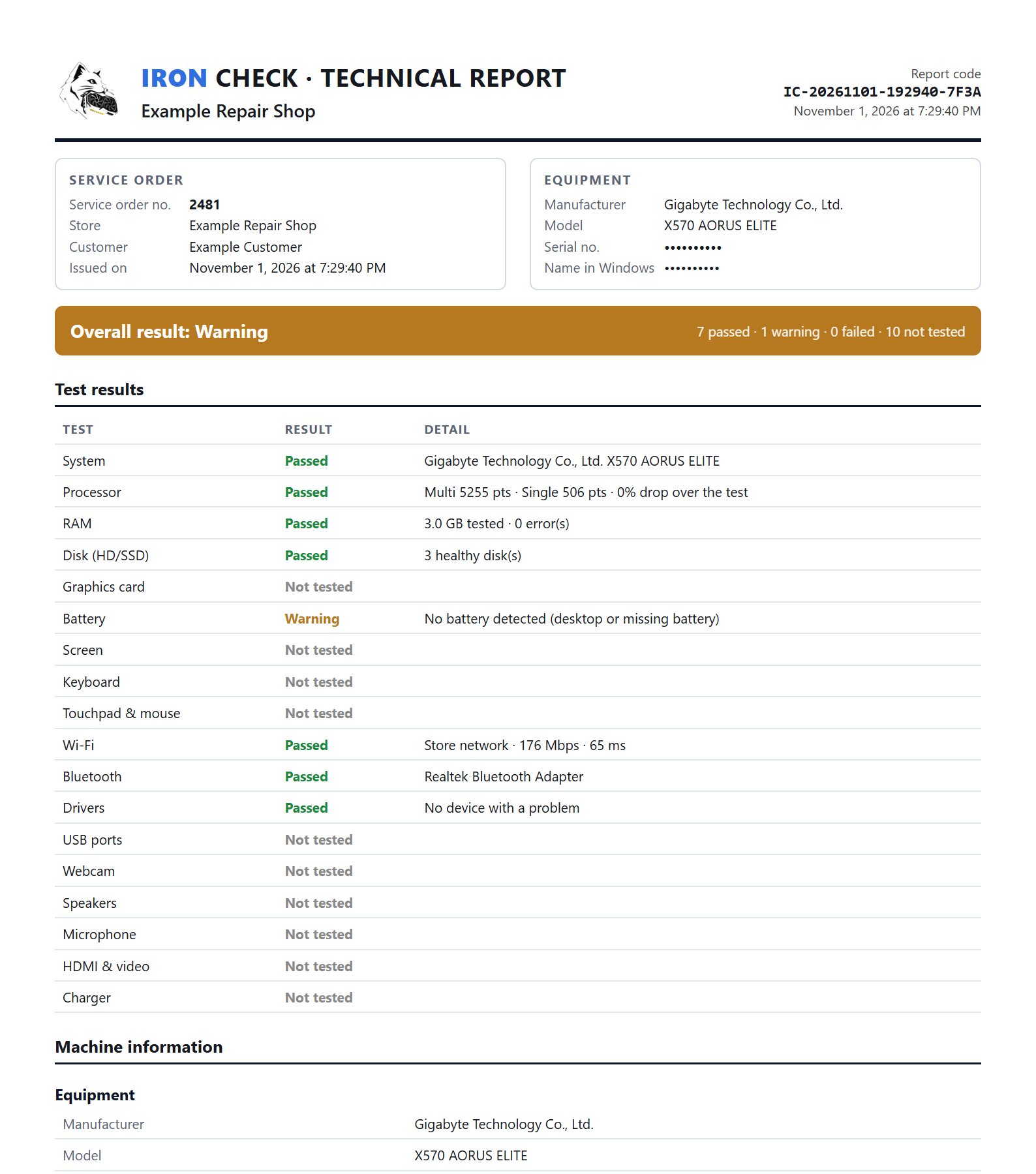
Sample report created by the program. Device identifiers have been hidden.
A PDF with your shop, the service order and every test result. If the device comes back, you show how it left.
On WhatsApp. The trial key lasts a few days.
Download the kit, extract it and open. No install.
Automatic and manual tests, and the service order PDF.
The trial key unlocks the full program for a few days. Then a monthly subscription paid by Pix, with one key for all your computers.
Windows 10 or 11, 64-bit. Extract the kit and copy the whole folder to the USB drive. · All versions
The free ones are great, each at one thing, and you can keep using them. Iron Check brings what you use at the counter into one place and does what they do not: tests USB ports, webcam, microphone and speakers, installs the network driver without internet and issues a PDF report with the service order and a file authenticity check.
Ask for a trial key on WhatsApp: it lasts a few days and unlocks the full program. To subscribe, you pay monthly by Pix (Brazil's instant payment), send the receipt and get your key, which works on several computers. For the price, just ask on WhatsApp.
The program (Iron-Check-Portatil.exe, 92 MB) already opens by itself. The full kit also brings the drivers folder, with the network driver library the program uses to install without internet. Extract the kit and leave the drivers folder next to the .exe.
No. You open the file from any folder or from the USB drive. The first time it prepares its files in a folder next to it; after that it opens fast. The key and settings stay in that folder, not on the customer's computer.
The tests do not. The disk scan only reads, the performance test uses a temporary file that is deleted at the end, and Boot Creator only touches USB drives (and warns that it erases the drive). The few tools that change Windows ask for confirmation and keep the original value or a copy.
It is the normal SmartScreen warning for new programs: click More info and then Run anyway. The administrator prompt is normal too: Windows requires it to read disk health and temperature and to install drivers.
The program keeps working for up to 24 hours on the last confirmation. After that, without being able to check, it stays locked until the license is confirmed. Your files are never deleted.
It is for your repair shop's use. The server records the computers and the approximate location of each use, and use by many people is detected: the key can be blocked.
Windows 10 or 11, 64-bit, on laptops or desktop PCs. Battery, touchpad and charger tests only make sense on a laptop. The tests work with any graphics card; overclock, detailed readout and video driver installation are for NVIDIA GeForce.
Talk straight to the developer, get your key and start today.